 Digital Space Farmers
The client portal: what you see once you're a client
Every client gets one login. Behind it is the status of your website, the price you signed up at, your requests, your monthly reports, your invoices and your documents. These are real screenshots of the real portal. The client in them, "Sample Plumbing Co (example)", is made up for this page.
What these pictures are. Screenshots of the working portal, taken on October 10, 2026, with a made-up sample client. No real client's information is shown, and no results are shown, because we will not invent any.
Overview: where your website stands
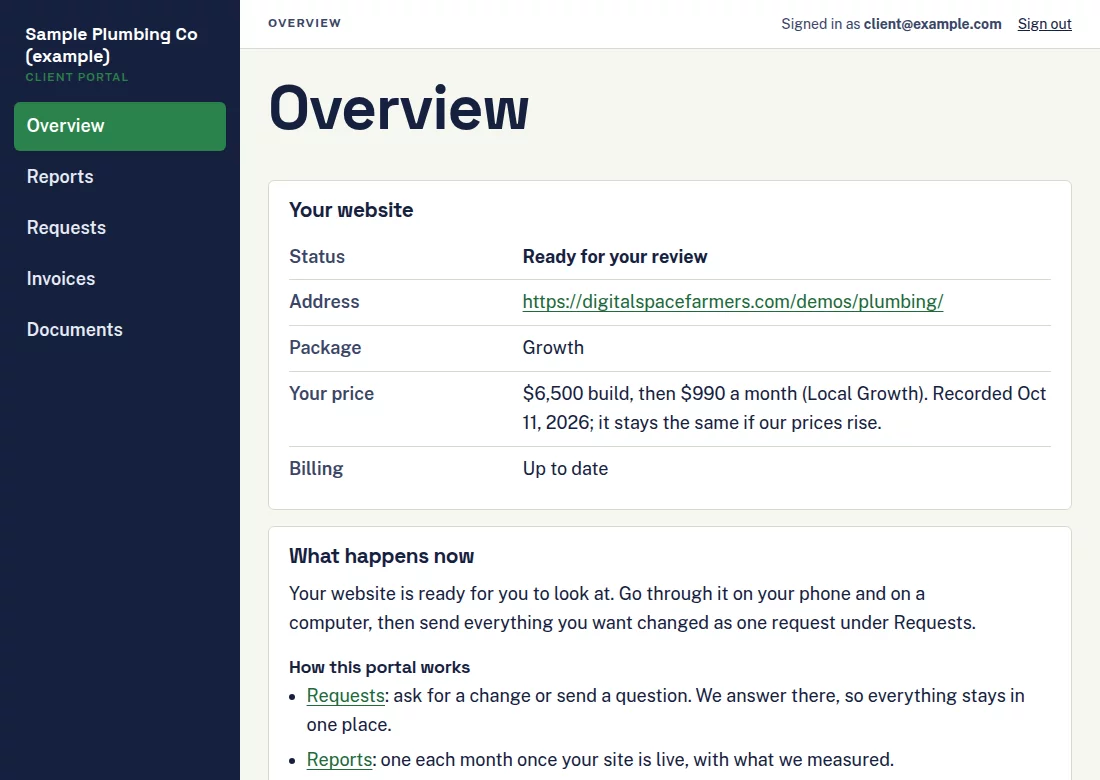
- Status. The stage your project is at (agreement, building, ready for your review, live or paused) and a note from us in plain words.
- Your price. The build price and monthly plan you signed up at, with the date it was recorded. If our prices go up later, yours stays the same.
- Billing. Whether anything is due.
Requests: ask for a change
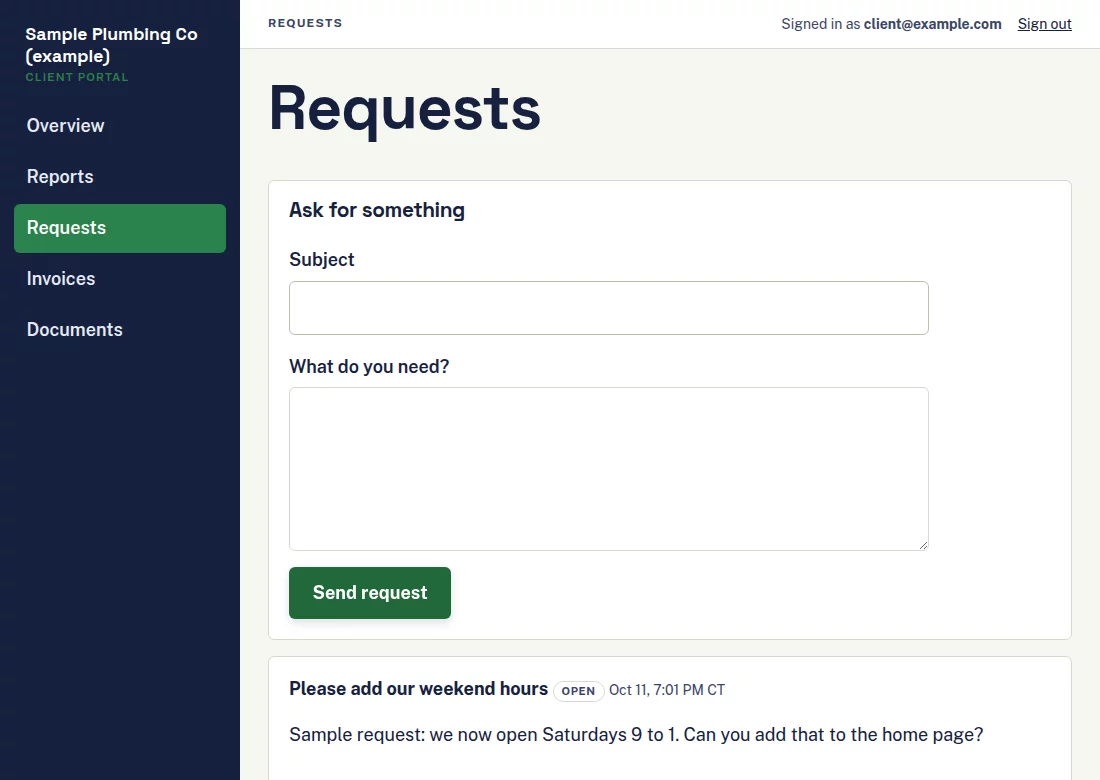
New hours, a new service, a photo to swap: write it here. Each request stays on the page with its status and our answer, so nothing is lost in an inbox.
Documents: your paperwork in one place
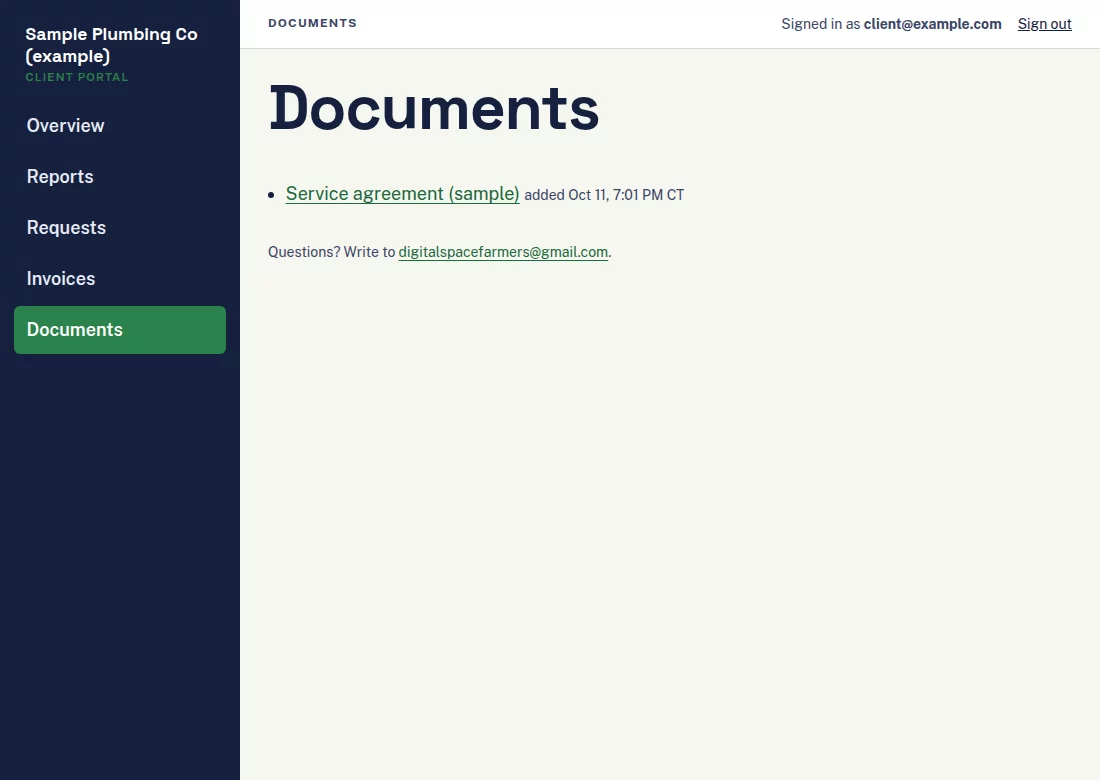
Your service agreement and anything else we share with you is linked here, with the date it was added.
Reports and invoices
- Monthly reports. Once your site has been live for a month, a report appears here each month with the numbers we measured. The sample client has none yet, and the page says so rather than showing an example with invented figures.
- Invoices. Every invoice with its date, amount and whether it is paid. These are records of what was billed and paid; the portal itself does not take payments.
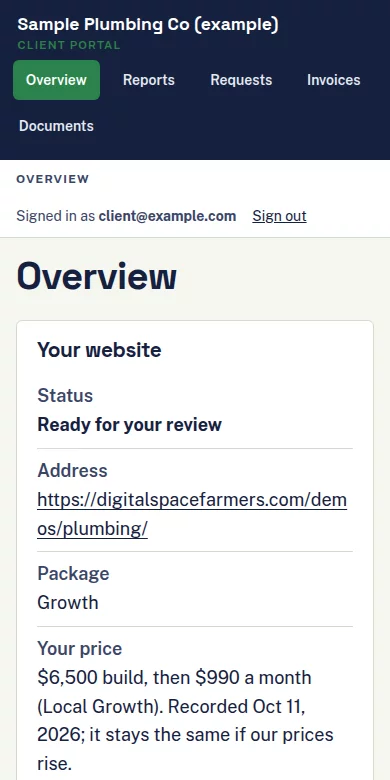
It works on a phone
What the portal does not do yet
- It does not take card payments.
- It does not email you when something changes; we tell you ourselves.
How you get a login
When you become a client we add your business and send you a one-time link to set your own password. We never see or choose your password. One client can never see another client's pages. The steps before that are on how it works, and prices are on the services page.
Common questions
How do I get a portal login?
When you become a client, we add your business and send you a one-time link to set your own password. We never see or choose your password.
Can other clients see my information?
No. One client can never see another client's pages.
Can I upload files to the portal?
Yes. Send photos, logos and documents from Files in your portal, and anything we share with you appears there too. Your service agreement and other documents are linked under Documents.
Does the portal work on a phone?
Yes. The same pages fit a phone screen.
Score your website, free Who we work with
Or call (346) 472-0629.