 Digital Space Farmers
Reviews, testimonials and before-and-after photos for a dental practice: what HIPAA means
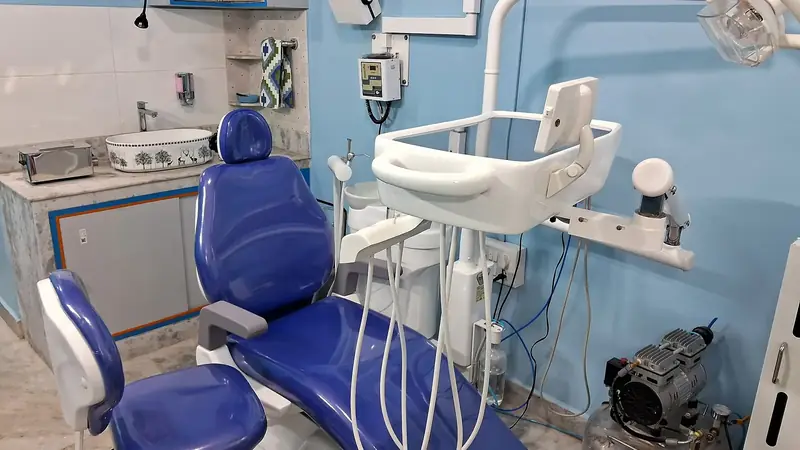
A dental practice can reply to Google reviews, publish patient testimonials and show before-and-after photos, but each has a HIPAA line. A reply must not confirm that someone is your patient or mention their care. A testimonial or photo you publish for marketing needs the patient's signed authorization first. This page explains why, from the regulation text, and what a safe version of each looks like.
Sources checked October 17, 2026, and listed at the bottom. This is general information, not legal advice: your compliance adviser or attorney has the last word for your practice.
The short answer
- Review replies: thank, invite them to call, and say nothing that confirms they are a patient or describes their visit.
- Testimonials and stories on your site: only with the patient's written HIPAA authorization on file. The rule says a covered entity "must obtain an authorization for any use or disclosure of protected health information for marketing".
- Before-and-after photos: the same signed authorization, plus a caption that shows what a typical result looks like.
- A review the patient posts on Google is theirs. The care details in it are not yours to repeat.
Why a review reply can be a disclosure
HIPAA protects "individually identifiable health information". The definition in 45 CFR 160.103 covers information that relates to "the provision of health care to an individual" and that identifies the individual, or where there is "a reasonable basis to believe the information can be used to identify the individual." The general rule in 45 CFR 164.502(a) is that a covered entity "may not use or disclose protected health information, except as permitted or required" by the Privacy Rule.
Put those together with a public review. The reviewer named themselves. If your reply says "We're sorry your crown came loose, [name], but you missed your follow-up," you have told the world that this person was treated at your practice and what was done. That is health care information about an identified person, published by you.
Even a gentler reply can do it: "We've reviewed your chart and…" confirms a chart exists. The safest habit is to write every reply as if you cannot confirm or deny that the reviewer was ever in your chair.
Replies that work without saying too much
To reply on Google: open your Business Profile, select Read reviews, select Reply next to the review, write it and select Reply. Google's help page says helpful and positive replies "can show that you're responsive to your customers." Here is how to be responsive without disclosing anything.
| Review | Reply that discloses | Reply that doesn't |
|---|---|---|
| Five stars, "The dentist fixed my broken tooth fast." | "Glad your emergency repair on tooth #8 went well!" | "Thank you for taking the time to write this. We appreciate it." |
| One star, "They overcharged me for a cleaning." | "Our records show your insurance denied the deep cleaning you needed." | "We take billing questions seriously. Please call our office manager at the number on our profile so we can look into it with you directly." |
| Two stars, "Waited 40 minutes." | "Sorry, your 2 PM appointment ran late because of the patient before you." | "We're sorry about any wait. We're working on our schedule and would welcome a call so we can hear more." |
The pattern: thank them, keep it general, move the conversation to a private channel. Our guides on replying to good reviews and responding to a bad review cover tone; for a dental practice, add the rule above on top.
Testimonials and patient stories on your website
A review sits on Google because the patient chose to post it. A testimonial on your website is different: you are using the patient's information to promote your practice. The HIPAA rule for that is in 45 CFR 164.508(a)(3): a covered entity "must obtain an authorization for any use or disclosure of protected health information for marketing." The two exceptions listed there are "a face-to-face communication made by a covered entity to an individual" and "a promotional gift of nominal value provided by the covered entity," neither of which is a website.
In practice:
- Get the signed authorization before anything goes up: name, quote, photo, video, even a first name with a treatment ("[first name], Invisalign patient"). Your compliance adviser will have the form.
- Keep the signed form with the testimonial, so you can find it if anyone asks.
- Take it down if the patient asks. Make that easy.
- Don't copy Google reviews onto your site as testimonials without the same authorization. Showing a live widget of your Google reviews is a different decision; see how to show reviews on your website, and ask your adviser how it applies to you.
Never write a review or testimonial yourself or pay for a positive one. The FTC's rule on consumer reviews bans fake reviews and buying positive or negative ones; our guide to the FTC fake review rule covers it.
Before-and-after photos
Smile makeovers, aligners and implants sell on photos. Two rules apply.
- Authorization. A photo of a patient's teeth, especially with any part of the face, used to market your practice is the same case as a testimonial: signed authorization first.
- A fair caption. The FTC's health products compliance guidance says testimonials reporting results "more dramatic than users can generally expect are likely to be deceptive," and that a vague "results not typical" note doesn't fix that. Pick cases that look like the results most patients get, or say plainly what a typical case looks like and how many visits it took.
A short policy for the front desk
Most slips happen when someone at the practice replies to a review quickly, on their phone, after a bad day. A one-page policy helps:
- One person replies to reviews, from the practice's account, never from a personal one.
- Every reply is general: thanks, an apology for any bad experience, a phone number. No names of staff who treated them, no dates, no procedures, no "our records show".
- Angry reviews wait a day before a reply.
- No testimonial, story or photo goes on the website, social pages or ads without a signed authorization in the file.
- Questions go to your compliance adviser before you post, not after.
Questions people ask
Can a dentist respond to a Google review under HIPAA?
Yes, if the reply doesn't confirm the person is a patient or mention their care. HIPAA protects identifiable information about the provision of health care, and a public reply naming their treatment would disclose it. Thank them, keep it general and offer a phone call.
Do we need written permission to post a patient testimonial?
Yes. Under 45 CFR 164.508(a)(3), a covered entity must obtain an authorization for any use or disclosure of protected health information for marketing. Get the signed form before the testimonial goes up.
Can we post before-and-after photos of patients?
With the patient's signed authorization, and with a caption that reflects typical results. The FTC says results more dramatic than people can generally expect are likely to be deceptive.
The patient already posted their story publicly. Can we repeat it?
Their review is theirs to share. Repeating their care details in your reply or on your site is your disclosure. Treat it as you would any other testimonial: authorization first.
Run a med spa? The same consent rule applies to client photos, and the FDA sets what fillers are approved for: see what a med spa website can say about fillers.
Health claims are the other half of the rules for practices: see what a chiropractic website can claim.
Building or fixing a dental practice website? See websites for dental practices, run the free Instant Website Score on your site, or ask us to look.
Prices for every package are on our services page, or book a 15-minute call.
Sources
- 45 CFR 160.103: definitions, including individually identifiable health information (Cornell LII)
- 45 CFR 164.502: uses and disclosures of protected health information, general rules (Cornell LII)
- 45 CFR 164.508: uses and disclosures for which an authorization is required (Cornell LII)
- FTC: Health Products Compliance Guidance
- Google Business Profile Help: Read and reply to reviews
- FTC: final rule banning fake reviews and testimonials
Ask for a free audit More guides
Or call (346) 472-0629.
Check your own business
- Free Growth Audit: type your web address and get a score out of 100 in about 30 seconds, with what to fix first. No sign-up.
- Google Business Profile checklist: Reviews live on your Google listing: check the rest of it too.
- Google Business Profile help: What we set up and keep up on your listing, and what stays yours.
Want our guides to show up first when you search Google? Pick us as a preferred source.
Add Digital Space Farmers as a preferred source on Google Do Google reviews help you rank?
 A wave of fake Google reviews: what to do
 The FTC's fake-review rule for a small business
See where your site stands.
Free, about 30 seconds, no email needed.
Get your Instant Website ScoreOr ask for the full audit, done by a person.