 Digital Space Farmers
Photos on a trade website: your own or stock?

Almost every trade website starts with the same picture: a smiling model in a spotless uniform holding a wrench. Customers have seen it on a hundred sites. The photos that do the selling are the ones only you have: your van, your crew, the job you finished last week. This guide covers where stock is fine, where it can mislead, and how to take photos that are good enough with a phone.
Sources checked October 10, 2026, and listed at the bottom. Where we go beyond what a source says, we say so.
The short answer
- Use your own photos for anything that says "this is us" or "this is our work": team, vehicles, finished jobs, before and after.
- Stock is fine for mood and filler that claims nothing: a texture, a background, an icon.
- Never present a stock photo as your own job. The FTC looks at "words, phrases, and pictures" when it decides what an ad conveys.
- On your Google profile, photos must be real. Google: "the image should represent reality."
- A phone is enough. In focus, well lit, and kept small enough to load fast.
What only your own photos can do
A customer choosing a roofer or a plumber is trying to answer two questions: is this company real, and is its work any good? A stock photo answers neither. It shows that you bought a picture.
Your own photos answer both. A van with your name on it in a recognisable street shows you exist. A finished bathroom, a clean panel, a new roof line shows the standard you work to. This is our view from building trade websites, not a statistic, and we will not put a number on it.
Google's guidance for Business Profile photos points the same way. It says photos make a profile "more attractive to customers", and that an exterior photo "helps customers recognize your business when they visit." Recognition only works if the photo is of you.
Where stock is fine
Stock photos are not dishonest in themselves. They are fine where the picture makes no claim about your business:
- A background texture behind a heading: brick, timber, blueprint lines.
- A general picture for an article, such as a thermostat on a wall for a guide about heating bills.
- Icons and simple illustrations.
- A stand-in for a week, while you collect real photos. Put a date on replacing it.
Check the licence before you use any stock image: some allow business use freely, some need a credit, some do not allow it at all. That is general advice, not a legal opinion.
Where stock can mislead
The line is crossed when a picture implies something that is not true: that the kitchen shown is one you fitted, that the people shown are your staff, that the "after" photo is your result.
The Federal Trade Commission's guide for small businesses sets out the basic rule: "Advertising must be truthful and non-deceptive", and "Advertisers must have evidence to back up their claims". An ad is deceptive if it contains a statement, or leaves something out, that is "likely to mislead consumers acting reasonably under the circumstances" and is "material", meaning "important to a consumer's decision to buy or use the product."
Pictures are part of that. The same guide says "the FTC looks at the ad in context - words, phrases, and pictures - to determine what it conveys to consumers." We are not lawyers and this is not legal advice. The practical rule we follow on every site we build is simple: a gallery labelled "our work" contains only your work. The same goes for reviews on your website: real ones only.
On your Google profile, real photos only
Google's photo guidelines for Business Profiles are short. Format: "JPG or PNG." Size: "Between 10 KB and 5 MB." Recommended resolution: "720 px tall, 720 px wide." And on quality: "The photo should be in focus and well lit, and have no significant alterations or excessive use of filters. In other words, the image should represent reality."
A stock photo of somebody else's crew does not represent your reality. Google suggests three kinds to start with: a logo to "help your customers recognize your business on Google", a cover photo "that best represents your business", and business photos that "highlight features of your business". Which photos to add there, and how often, is covered in our guide to Google Business Profile photos.
How to take usable photos with a phone
You do not need a photographer for most of it. This is our own checklist, not from a source:
- Wipe the lens. A phone that lives in a work pocket takes hazy photos until you do.
- Use daylight. Open the blinds, turn off the flash, stand with the window behind you.
- Hold it level and step back. Show the whole job, then one close detail.
- Same spot, before and after. Stand in the same place for both. Take the "before" first; it is the one people forget.
- Tidy the frame. Move the bucket, the coffee cup and the off-cuts.
- Leave people and private details out unless you have asked: no faces, house numbers, licence plates or family photos on the wall.
- Ask the customer. "Mind if I take a photo of the finished job for our website?" Most say yes. If they say no, do not use it.
- Make it a habit. Two photos per job, sent to one shared album the same day.
The photos worth paying a professional for are the few that appear everywhere: the team, the vehicles, the owner at work. One short session covers years of use.
Putting them on the website properly
A good photo can still hurt a website if it is put up carelessly. Google's own advice for images in Search covers the basics.
- Keep the files small. Google notes that "images are often the largest contributor to overall page size, which can make pages slow and expensive to load." A photo straight off a phone is far larger than a web page needs; your web developer should resize and compress it. See site speed in plain English.
- Sharp beats blurry. "High-quality photos appeal to users more than blurry, unclear images."
- Describe each photo in its alt text, the short description read aloud by screen readers. Google asks for "useful, information-rich content that uses keywords appropriately" and warns: "Avoid filling alt attributes with keywords". "New standing-seam metal roof on a two-storey house" is right. A string of towns and services is not.
- Name the file sensibly. Google: "use filenames that are short, but descriptive".
metal-roof-finished.jpg, notIMG_4471.jpg. - Put the photo next to the words about it. Google: "make sure images are placed near relevant text".
Google's image page does not say that original photos rank better than stock ones, so we will not claim it. The case for your own photos is trust, not a ranking trick.
A simple plan for this month
- List every photo on your website and mark each one: ours, or stock.
- Remove or relabel any stock photo that could be taken for your own work or staff.
- Take five photos this week: the van, the team, and three finished jobs.
- Add the same five to your Google Business Profile.
- Start the two-photos-per-job habit.
Want a second pair of eyes on the whole site? The Instant Website Score checks it in about a minute, and we are glad to talk through what it finds.
Questions people ask
Is it OK to use stock photos on a business website?
Yes, where the photo makes no claim about your business, and the licence allows business use. It is not OK to present a stock photo as your own work, team or results.
Can I use stock photos on my Google Business Profile?
Google's guidelines say profile photos should be in focus, well lit, without significant alterations, and should "represent reality". A stock photo of another company's people or work does not do that. Use your own.
Do I need a professional photographer?
Not for job photos. A current phone in daylight is enough. A professional is worth it for the handful of photos you will use everywhere, such as the team and the vehicles.
Do I need permission to post a photo of a customer's home?
Ask every time, and leave out faces, house numbers and anything personal. That is our practice and plain courtesy; for the legal position where you work, ask a lawyer.
Detailers selling ceramic coating: the years and warranty on the page matter as much as the photos; see ceramic coating claims.
Sources
- Google Business Profile Help: Manage your Business Profile photos and videos
- Google Search Central: Google image SEO best practices
- Federal Trade Commission: Advertising FAQs, a guide for small business
General information, not legal advice.
Ask for a free audit More guides
Or call (346) 472-0629.
Check your own business
- Free Growth Audit: type your web address and get a score out of 100 in about 30 seconds, with what to fix first. No sign-up.
- Website cost calculator: See what a site like yours usually costs, with the assumptions shown.
- Website design for contractors: How we build sites for home service trades, and what each one includes.
Want our guides to show up first when you search Google? Pick us as a preferred source.
Add Digital Space Farmers as a preferred source on Google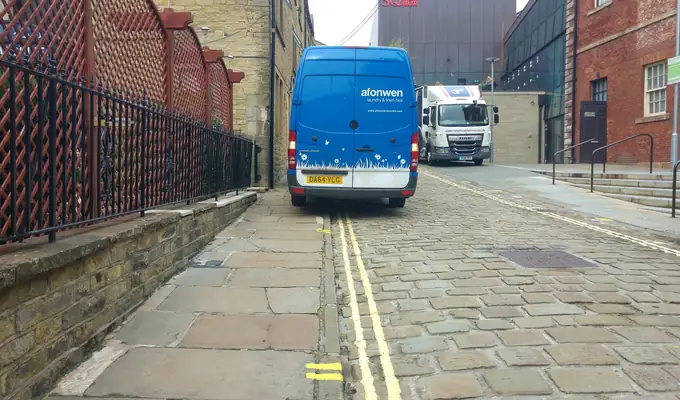 Websites for multi-location service businesses
 Texas mover website rules: TxDMV, USDOT and help line
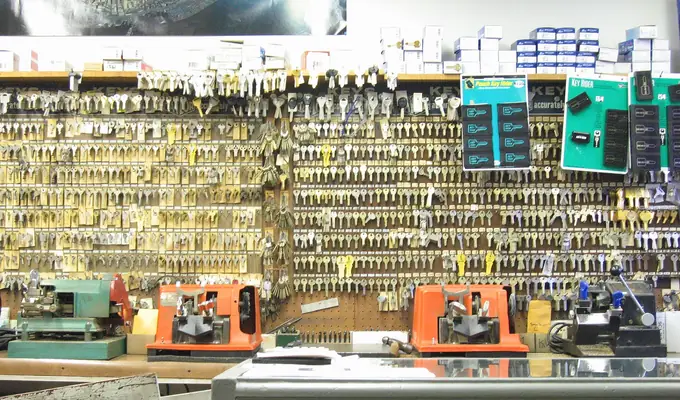 Texas locksmith advertising rules: license, address, cards