 Digital Space Farmers
Tap-to-call: make your phone number a button
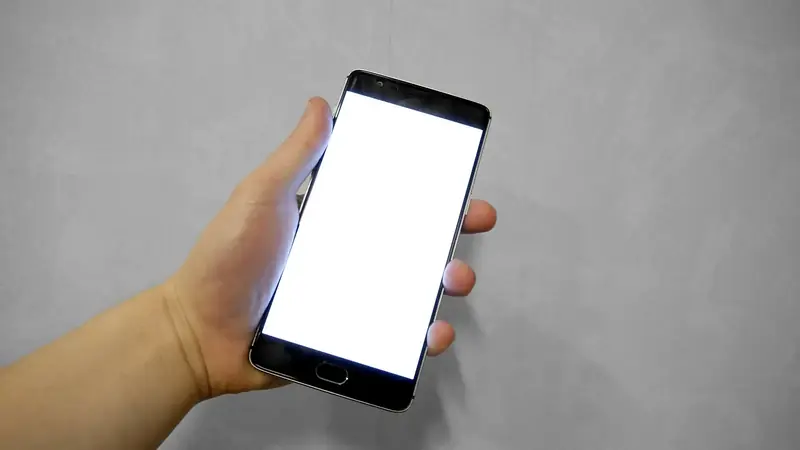
On a phone, a number that is only text has to be copied, remembered or typed in by hand. A tap-to-call link dials it in one tap. For a business that lives on phone calls, it is the cheapest fix on the whole website, and one of the most often missed.
First written October 7, 2026; rewritten and re-checked October 14, 2026 against the pages listed at the bottom, each opened and read that day.
The short answer
- Check: open your site on your phone and tap your number. If the phone offers to call, the link works.
- Fix: make the number a link whose address starts with
tel:and the full number with the country code, for exampletel:+1XXXXXXXXXX. - Place: at the top of every page, in a bar that stays on screen on phones, and beside your hours.
- Size: make it big enough to hit with a thumb. The accessibility standard's minimum is 24 by 24 pixels; a real button is better.
- Keep it the same number as on your Google profile.
Why it matters for a service business
Most people looking for a plumber, a roofer or a mechanic are on a phone, and many of them want to talk to someone now. If the number on your site cannot be tapped, they have to copy it, switch apps and paste it, or remember it while they dial. Some will. Others will go back to the search results and tap the next business, whose number does work.
Google treats the call as the action that matters on a local listing: the Calls number in your Business Profile performance report counts the times someone clicked the call button on your profile. Your website should make calling just as easy. When we checked ten Houston-area auto repair websites by hand in October 2026, two of the nine that loaded had a phone number that could not be tapped. That is a small sample from one area, not a national figure, but it shows how easily it slips.
Check yours in ten seconds
- Open your website on your own phone, not a computer.
- Find your phone number at the top of the home page and tap it.
- If the phone offers to call, the link works. If nothing happens, or the text just gets selected, the number is plain text.
- Repeat on your contact page and on one service page. A number that works on one page is sometimes plain text on another.
- Check the number it offers to dial is right. A typo inside the link is invisible on the page.
What the fix is
A phone link is an ordinary web link with a different kind of address. Instead of starting with https://, the address starts with tel: followed by the number. Mozilla's reference for web developers lists telephone numbers with tel: addresses among the kinds of link every browser understands, and gives this pattern:
<a href="tel:+1XXXXXXXXXX">(XXX) XXX-XXXX</a>
Put your own number where the X's are. Two details are worth getting right:
- Use the full number with the country code. The standard that defines
tel:links (RFC 3966) says global numbers are marked with a leading "+" and must include the country code. For the United States that means+1and then the ten digits. - Dashes, dots and brackets are fine. The same standard says visual separators only aid readability and are not used for placing a call. The visible text can look however you like; the link just has to hold the right digits.
On most website builders you do not need to write the code yourself: there is usually a "phone" option in the link or button settings. Whoever looks after your site can add it in a few minutes.
What happens on different devices
Mozilla's page notes that what a tel: link does depends on the device: a cell phone dials the number, a computer may open a calling program such as FaceTime or Skype, and some devices offer to save the number or send it to another device. So the link never hurts on a desktop; it simply does the most useful thing that device can do.
One courtesy: some business phone systems and websites show a short "Call (XXX) XXX-XXXX?" question before dialing, so a stray tap does not start a call. Phones usually ask on their own, but it is worth knowing which one your site does.
Where to put it
- At the top of every page, not only on the contact page. People arrive on service pages and guides from search; they should not have to hunt.
- In a bar that stays on screen on phones. A slim bar at the bottom with "Call" and one other action (book, get a quote) keeps the number within thumb reach while people read.
- Beside your hours, so people can see you are open before they call, and know what happens if you are not.
- Inside the page text where it fits naturally: "Call us at..." in the last paragraph of a service page.
Our guide on what every local business website must have covers the rest of the top of the page.
Make it easy to hit
A tiny number squeezed between other links is easy to miss with a thumb, and easy to mis-tap. The Web Content Accessibility Guidelines (WCAG 2.2, level AA) set a minimum target size of 24 by 24 CSS pixels for things people tap or click, so that people with limited dexterity or a hand tremor do not hit the wrong control. That is a floor, not a goal: a phone button that is a comfortable thumb width tall is easier for everyone. Our accessibility guide covers the rest of that standard in plain words.
Keep the number consistent
Use the same number on your website as on your Google Business Profile and your other listings. A different number on each makes customers wonder which is right, and makes it harder to know which marketing is working. If you use separate numbers to track marketing, keep your main number as the one on your site and profile; our guide on tracking calls without spying on visitors explains how, and name, address and phone consistency covers the listings side.
Email works the same way
An email address can be a link too: the address starts with mailto:, and tapping it opens the visitor's email app with your address filled in. It is less urgent than the phone link for most trades, but it costs nothing. Our Instant Website Score checks your home page for both, along with the other basics a visitor on a phone needs.
Want a person to look at your business?
Leave your details and we call or email you back with a free audit of your site and Google listing. No obligation.
Common questions
How do I know if my phone number is tap-to-call?
Open your site on your phone and tap the number. If the phone offers to call, it is a working link. If nothing happens, it is plain text.
What format should the number be in?
In the link, use the full number with the country code and a plus sign, such as +1 and your ten digits. The visible text can use any format, such as (XXX) XXX-XXXX.
Does a tap-to-call link do anything on a computer?
It depends on the computer. It may open a calling program, offer to save the number, or send it to a phone. It does no harm.
How big should the call button be?
The accessibility standard's minimum is 24 by 24 CSS pixels. A button that fits a thumb comfortably is better on a phone.
Should my website number match my Google profile?
Yes. Use the same main number on your website, your Google Business Profile and your listings.
Sources
- MDN Web Docs: the <a> element, linking to telephone numbers
- RFC 3966: The tel URI for Telephone Numbers (December 2004)
- W3C: Understanding WCAG 2.2 success criterion 2.5.8, Target Size (Minimum)
- Google Business Profile Help: Business Profile performance
Get your Instant Website Score Book a 15-minute call
Or call (346) 472-0629.
Check your own business
- Free Growth Audit: type your web address and get a score out of 100 in about 30 seconds, with what to fix first. No sign-up.
- Website cost calculator: See what a site like yours usually costs, with the assumptions shown.
- Website design for contractors: How we build sites for home service trades, and what each one includes.
Want our guides to show up first when you search Google? Pick us as a preferred source.
Add Digital Space Farmers as a preferred source on Google Websites for multi-location service businesses
 Texas mover website rules: TxDMV, USDOT and help line
 Texas locksmith advertising rules: license, address, cards