 Digital Space Farmers
Website accessibility for a small business: what ADA.gov says
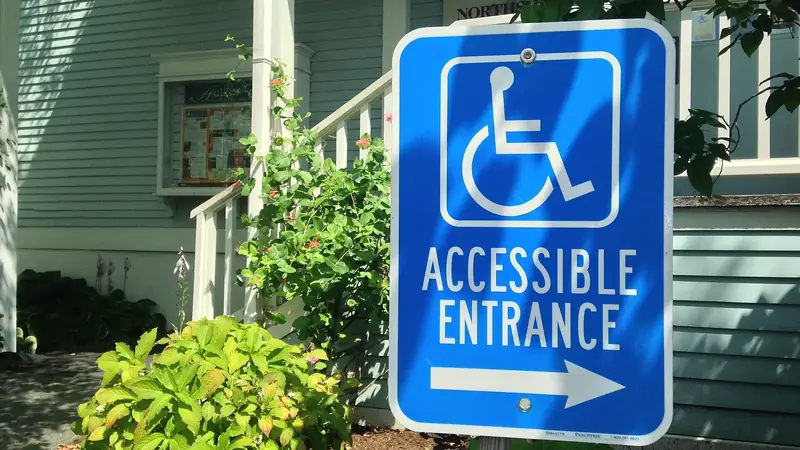
An accessible website is one that people can use if they can't see the screen, can't use a mouse, or can't hear a video. The U.S. Department of Justice has published guidance on how the Americans with Disabilities Act applies to websites. It is short and readable, and most of what it asks for also makes a site easier for everyone.
Sources checked October 9, 2026, and listed at the bottom. This is general information, not legal advice; whether and how the law applies to your business is a question for an attorney.
The short answer
- The guidance is "Guidance on Web Accessibility and the ADA", from the Justice Department's Civil Rights Division, dated March 18, 2022.
- It covers businesses open to the public (Title III of the ADA) as well as state and local governments (Title II).
- It names six common barriers: poor color contrast, color used alone to give information, images without text alternatives, videos without captions, inaccessible forms, and mouse-only navigation.
- It does not set a detailed technical standard for businesses. It says businesses "have flexibility in how they comply", and points to WCAG and the Section 508 Standards as helpful guidance.
Who the guidance is for
The guidance names two groups: "state and local governments (Title II)" and "businesses that are open to the public (Title III)". On the second, it says: "Title III prohibits discrimination against people with disabilities by businesses open to the public."
We are not going to tell you whether your particular business is covered or what a court would require of your site; that is a legal question. What we can do is show what the Justice Department says an accessible site looks like, and how to check yours against it.
The six barriers the guidance names
| Barrier | Who it stops | What it looks like on a service business site |
|---|---|---|
| Poor color contrast | People with limited vision or color blindness | Light gray text on white. A pale button with white lettering. |
| Color alone to give information | People who are color-blind, and screen-reader users | A form where a missed field only turns red, with no words. |
| No text alternatives on images | People who are blind | Job photos with no description. A phone number that exists only inside a picture. |
| No captions on videos | People who are deaf or hard of hearing | A "meet the owner" video with no captions. |
| Inaccessible online forms | Screen-reader users and others | A quote form whose boxes have no labels, or that doesn't say what went wrong. |
| Mouse-only navigation | People who can't use a mouse or trackpad | A menu that only opens on hover. A booking widget you can't reach with the Tab key. |
The guidance is clear that this "is not a complete list of things to consider".
What the guidance says about how to comply
Three sentences from it are worth reading exactly:
- "The Department of Justice does not have a regulation setting out detailed standards" for web accessibility.
- "Businesses and state and local governments have flexibility in how they comply" with the ADA's general requirements.
- "Existing technical standards provide helpful guidance concerning how to ensure accessibility of website features." It names the Web Content Accessibility Guidelines (WCAG) and the Section 508 Standards.
The guidance also notes that it does not reflect the requirements for state and local governments published in the Federal Register on April 24, 2024. That later rule is about governments, not private businesses, and is outside this guide.
WCAG in one paragraph
WCAG comes from the World Wide Web Consortium (W3C), which says the documents "explain how to make web content more accessible to people with disabilities". They are organized under four principles: perceivable, operable, understandable and robust, with three levels of conformance: A, AA and AAA. WCAG 2.2 was published on 5 October 2023 and has 13 guidelines. The W3C "encourages you to use the latest version". When a web designer says a site "meets AA", this is the standard they mean.
Ten checks you can do yourself
The W3C publishes a set of "Easy Checks" for a first review. You need a browser and a keyboard. In its words:
- Page title. "Check that there is a title that adequately and briefly describes the content of the page."
- Image text alternatives. "Every image has alt with appropriate alternative text."
- Headings. "All text that looks like a heading is marked up as a heading."
- Contrast. "A contrast ratio of at least 4.5:1 for normal-size text."
- Resize text. Zoom in: "Text doesn't disappear or get cut off."
- Keyboard access. "Check that you can tab to all the elements, including links, form fields, buttons, and media player controls."
- Forms. "Check that any fields that are required/mandatory are clearly indicated."
- Moving or flashing content. "Check that no content flashes or blinks more than three times in one second."
- Video and audio. If there are captions, "the captions seem in sync with the spoken content".
- Basic structure. "Check that the information makes sense when read in the order it is shown."
Number 6 is the quickest and the most revealing: put the mouse aside, press Tab, and try to request a quote. If you get stuck, so does a customer.
The W3C is honest about the limits: these checks "cover just a few accessibility issues and are designed to be quick and easy, rather than definitive", and a page "could seem to pass these checks, yet still have significant accessibility barriers".
About automated checkers and overlays
The Justice Department's guidance lists "checking for accessibility" among its practices and makes the same point: automated checkers and overlays can help, but a clean automated report does not guarantee that a site is accessible. It recommends pairing them with manual checks. It also suggests giving the public a way to report accessibility problems, so you can fix them.
In practice that means two small things on your site: a line on the contact page saying how to tell you about a problem, and someone who reads those messages.
Where the overlap with good business is
Almost every item above is something a customer on a phone in bright sunlight also needs: text they can read, buttons they can hit, a form that says what went wrong. That is why our list of seven things a local business website must have and our tap-to-call guide ask for some of the same things.
Our free Instant Website Score tool checks a handful of these basics on one page, such as a page title and whether the page fits a phone. It is not an accessibility audit and we don't call it one. We build with these basics in mind: readable contrast, labeled form fields, real headings and keyboard access. What each package includes is on our services page.
Questions people ask
Does the ADA apply to my small business website?
The Justice Department's guidance says Title III of the ADA prohibits discrimination against people with disabilities by businesses open to the public, and that its web guidance covers those businesses. Whether and how it applies to your specific business is a question for an attorney.
Is there an official technical standard a business website must meet?
The guidance says the Department of Justice does not have a regulation setting out detailed standards, and that businesses have flexibility in how they comply. It points to WCAG and the Section 508 Standards as helpful guidance.
What is WCAG?
The Web Content Accessibility Guidelines from the W3C, which explain how to make web content more accessible to people with disabilities. WCAG 2.2 was published on 5 October 2023 and has three conformance levels: A, AA and AAA.
Will an accessibility plugin or overlay make my site compliant?
The Justice Department's guidance says automated checkers and overlays can help, but that a clean automated report does not guarantee accessibility, and it recommends manual checks as well.
What is the fastest accessibility check I can do?
Use only the keyboard. The W3C's easy checks say to check that you can tab to all the elements, including links, form fields and buttons. If you can't complete your own contact form that way, start there.
Sources
- ADA.gov: Guidance on Web Accessibility and the ADA (U.S. Department of Justice, March 18, 2022)
- W3C: WCAG 2 overview
- W3C: Easy Checks, a first review of web accessibility
Ask for a free audit More guides
Or call (346) 472-0629.
Check your own business
- Free Growth Audit: type your web address and get a score out of 100 in about 30 seconds, with what to fix first. No sign-up.
- Website cost calculator: See what a site like yours usually costs, with the assumptions shown.
- Website design for contractors: How we build sites for home service trades, and what each one includes.
Want our guides to show up first when you search Google? Pick us as a preferred source.
Add Digital Space Farmers as a preferred source on Google Websites for multi-location service businesses
 Texas mover website rules: TxDMV, USDOT and help line
 Texas locksmith advertising rules: license, address, cards
See where your site stands.
Free, about 30 seconds, no email needed.
Get your Instant Website ScoreOr ask for the full audit, done by a person.