 Digital Space Farmers
Alt text and image file names for a service business website
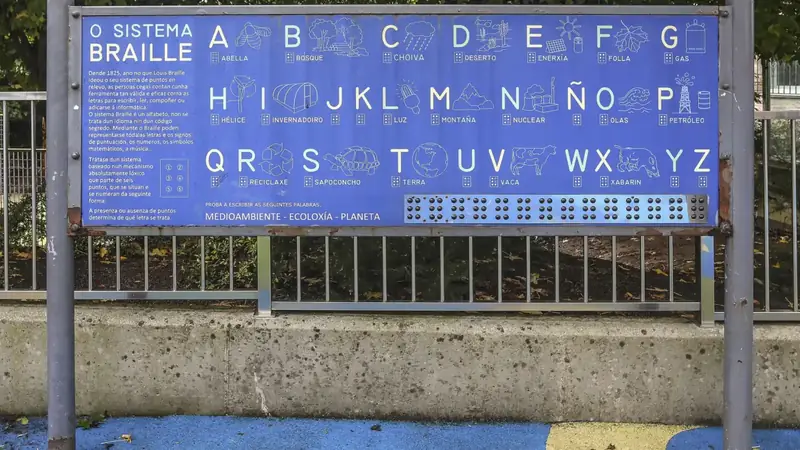
Alt text is the short description of an image that screen readers read aloud and Google uses to understand it. Describe what a photo shows in a few plain words ("new water heater installed in a garage"), describe what a button or linked image does ("Call now"), and leave it empty (alt="") for pure decoration. Name files in words too: Google says my-new-black-kitten.jpg is better than IMG00023.JPG. Don't stuff keywords: Google says to avoid filling alt attributes with them.
Sources checked October 22, 2026, and listed at the bottom.
The short answer
- Job photos: a brief description of what the photo shows.
- Buttons and linked images: what happens when you tap it, not what it looks like.
- Decoration: an empty alt (
alt=""), so screen readers skip it. - File names: words with hyphens, not camera numbers.
- Keywords: one natural description, never a list of search terms.
What alt text is for
Every image on a web page can carry a short text alternative, written in the page code as the image's alt attribute. Two kinds of visitors depend on it.
- People who can't see the image. A screen reader reads the alt text aloud. The W3C's images tutorial puts it simply: "Images must have text alternatives that describe the information or function represented by them."
- Search engines. Google's image guidance calls alt text "The most important attribute when it comes to providing more metadata for an image," and says Google uses it "along with computer vision algorithms and the contents of the page" to understand images.
Alt text also shows in place of a photo that fails to load on a slow connection, so a customer still knows what was meant to be there.
Five kinds of images on a trade website
The W3C publishes an "alt decision tree" that walks through each kind of image. Here is how it applies to the images a typical plumbing, roofing or cleaning site carries.
1. Job and team photos
These carry meaning, so describe them. The decision tree's advice for a simple photo that adds meaning: "Use a brief description of the image in a way that conveys that meaning." Write what a customer would want to know, not what the camera saw.
- Weak:
alt="photo"oralt="IMG_4417" - Better:
alt="Water heater" - Best:
alt="New 50-gallon water heater installed in a garage"
The same pattern appears in Google's own example, which goes from a missing alt to alt="puppy" to the best version, alt="Dalmatian puppy playing fetch". Our guide on your own photos versus stock photos covers which photos to use in the first place.
2. Buttons, icons and linked images
When an image is a link or a button, its alt text should say what it does. The decision tree: "Use the alt attribute to communicate the destination of the link or action taken." A phone icon that dials your number should read "Call Example Plumbing," not "phone icon." A logo that links to the home page can read "Example Plumbing home."
3. Your logo
A logo is usually an image of your business name. The W3C's guidance for images of text is that the alt text should give the same words. If the logo sits next to your business name written as real text, an empty alt avoids reading the name twice.
4. Decoration
Background textures, dividers and stock flourishes add nothing a customer needs. For those the W3C says to "Provide a null text alternative (alt="") when the only purpose of an image is to add visual decoration."
5. Before-and-after pairs, charts and price tables
For a before-and-after pair, describe the change in one image's alt ("Driveway before and after pressure washing: oil stains removed") and keep the other short. For a chart or a price table saved as a picture, the decision tree says to "Include the information contained in the image elsewhere on the page." Better still, put prices on the page as real text: customers can read them on any phone, and Google can too. See what to put on a service page.
Don't stuff keywords
It is tempting to write alt="plumber plumbing plumbers near me emergency plumber". Google names this directly: "Avoid filling alt attributes with keywords (also known as keyword stuffing)." Its example of what not to do is a long list of near-identical words for one puppy photo. Stuffed alt text also makes a screen reader read nonsense to a real person. One accurate description is better for both. Keyword stuffing is one of the practices in Google's spam policies.
Name the file before you upload it
Phones save photos as IMG_4417.JPG. Google's guidance: "For example, my-new-black-kitten.jpg is better than IMG00023.JPG," and "Avoid using generic filenames like image1.jpg, pic.gif, 1.jpg when possible." Rename a job photo before upload, for example water-heater-install-garage.jpg: lower-case words, hyphens between them, no spaces.
Put the photo next to the words about it
Google says it "extracts information about the subject matter of the image from the content of the page," and asks that images be "placed near relevant text and on pages that are relevant to the image subject matter." A roof repair photo belongs on the roof repair page, next to the paragraph about that work, not in a gallery of fifty unlabeled pictures. Google lists the formats it reads: "BMP, GIF, JPEG, PNG, WebP, SVG, and AVIF."
A 20-minute check of your own site
- Open your home page and one service page on a computer.
- For each photo, look at its alt text (most website builders show it in the image settings).
- Job photos: write a plain description of what the photo shows.
- Icons and linked images: write what tapping them does.
- Decoration: set the alt to empty.
- Rename any file still called IMG_ or image1 the next time you upload it.
Images are one part of a site everyone can use: our guide on website accessibility for a small business covers the rest. Prices for our website packages are on our services page, or book a 15-minute call.
Questions people ask
What is alt text?
A short text description attached to an image in the page code. Screen readers read it aloud, it shows if the image fails to load, and Google uses it with the page's content to understand the image.
Does alt text help SEO?
Google calls alt text the most important attribute for giving more information about an image, and uses it along with computer vision and the page's content. It should describe the image, not list keywords.
Should every image have alt text?
Every image should have an alt attribute. Images that carry meaning get a description; purely decorative images get an empty one (alt="") so screen readers skip them.
How long should alt text be?
Usually a short phrase or one sentence. The W3C's advice for a simple photo is a brief description that conveys its meaning.
Do image file names matter?
Google says descriptive file names like my-new-black-kitten.jpg are better than IMG00023.JPG, and to avoid generic names like image1.jpg when possible.
Want your images and pages checked? Run the free Instant Website Score, or ask us to look.
Sources
- Google Search Central: Image SEO best practices
- W3C Web Accessibility Initiative: An alt decision tree
- W3C Web Accessibility Initiative: Images tutorial
Ask for a free audit More guides
Or call (346) 472-0629.
Check your own business
- Free Growth Audit: type your web address and get a score out of 100 in about 30 seconds, with what to fix first. No sign-up.
- Website cost calculator: See what a site like yours usually costs, with the assumptions shown.
- Website design for contractors: How we build sites for home service trades, and what each one includes.
Want our guides to show up first when you search Google? Pick us as a preferred source.
Add Digital Space Farmers as a preferred source on Google Websites for multi-location service businesses
 Texas mover website rules: TxDMV, USDOT and help line
 Texas locksmith advertising rules: license, address, cards
See where your site stands.
Free, about 30 seconds, no email needed.
Get your Instant Website ScoreOr ask for the full audit, done by a person.